

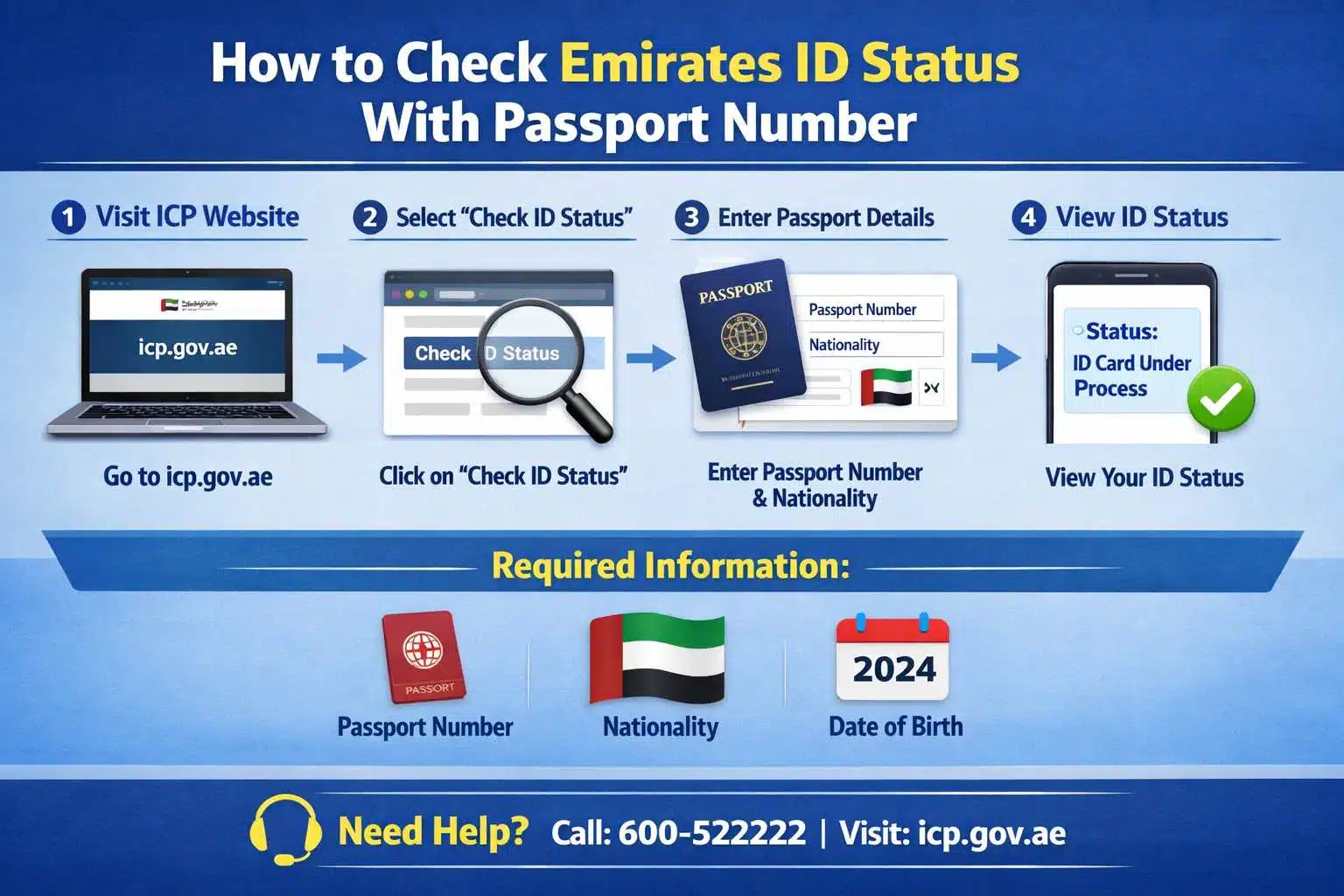
Knowing how to check Emirates ID status with passport number is essential for anyone living or working in the UAE. Whether you are a new resident, employee, investor, or family visa holder, tracking your Emirates ID application helps you stay compliant and avoid unnecessary delays.
You can check your Emirates ID status online through the ICP portal using your application number, unified number, or related application details. Once submitted, the system provides real-time updates on approval, printing, and delivery stages.
In this complete 2026 guide, you’ll learn how to check Emirates ID status with passport number, explore all official tracking methods, understand application status meanings, common issues, timelines, FAQs, and expert tips to ensure smooth processing.
Table of Contents
What Is an Emirates ID?
The Emirates ID is a mandatory identification card issued by the Federal Authority for Identity, Citizenship, Customs & Port Security (ICP). It is required for UAE citizens, residents, and GCC nationals.
The card stores personal, biometric, and residency details and acts as your official proof of identity across the UAE.
Why Emirates ID Is Important in the UAE
An Emirates ID is required for almost all essential services, including:
- UAE visa processing and residency records
- Opening bank accounts
- Employment verification and payroll
- Healthcare services
- Telecom connections
- Government and online services
Without a valid Emirates ID, daily activities in the UAE can become difficult.
Can I check Emirates ID status with passport number?
Yes. You can check Emirates ID status with passport number in most cases, especially when:
- You are a new applicant
- Your Emirates ID is under processing
- You have not received the ID number yet
- Your visa has already been issued
The tracking method depends on your application stage and the information available to you.
Method 1: How to Check Emirates ID Status With Passport Number Online (ICP Website)
The ICP official website is the most accurate and reliable platform.
Step-by-Step Process
- Visit the ICP official website
- Go to Public Services
- Select Application Status
- Choose Passport Number as the search option
- Enter:
- Passport number
- Passport expiry date
- Nationality
- Click Search
What Information You’ll See
- Current Emirates ID status
- Application stage (approved, printed, dispatched)
- Expected delivery timeline
Tip: Ensure your passport details exactly match your visa application records.
Method 2: Check Emirates ID Status Using Application Number
If you received an ICP receipt during submission, you can track your status using:
- Application Number (PRAN)
- Unified Identification Number (UID)
This method is often faster than passport-based tracking and provides more precise updates.
Method 3: How to Check Emirates ID Status With Passport Number Using ICP Mobile App
The ICP UAE Smart App allows easy mobile tracking.
Steps
- Download ICP UAE Smart App (Android or iOS)
- Log in or continue as a guest
- Select Application Status
- Enter your passport number or application number
- View real-time status updates
This option is ideal for users who prefer mobile access.
Method 4: Check Emirates ID Status Through Typing Centers
If online tracking fails, authorized typing centers can help.
What to Do
- Visit an authorized typing center
- Carry your passport and visa copy
- Request them to check your Emirates ID status in the ICP system
This method is especially helpful for first-time residents and family visa applicants.
Emirates ID Application Status Meanings Explained
| Status | Meaning |
|---|---|
| Under Process | Application is being reviewed |
| Approved | Application accepted |
| Card Printed | Emirates ID has been printed |
| Dispatched | Card sent via courier |
| Delivered | Emirates ID successfully delivered |
How Long Does It Take to Get an Emirates ID?
Typical timelines include:
- New application: 7–10 working days
- Renewal: 5–7 working days
- Replacement: 3–5 working days
Possible Reasons for Delays
- Incomplete documents
- Medical test delays
- Visa approval issues
- Public holidays
Common Issues When Checking Emirates ID Status
Passport Number Not Found
Possible reasons:
- Visa not issued yet
- Application not submitted
- Incorrect passport details
Status Not Updating
Possible causes:
- ICP system delay
- High application volume
- Additional verification required
Solution: Wait 24–48 hours or contact ICP support.
What to Do If Your Emirates ID Is Delayed
If your Emirates ID is taking longer than expected:
- Contact ICP customer support
- Visit the nearest ICP service center
- Consult your company PRO or visa consultant
Early follow-up helps avoid compliance issues.
FAQs: How to Check Emirates ID Status With Passport Number
Can I check Emirates ID status without an application number?
Yes. You can check Emirates ID status with passport number once your visa is issued.
Is Emirates ID mandatory in the UAE?
Yes. It is compulsory for all residents and citizens.
Can I travel while Emirates ID is under process?
Yes, but re-entry depends on your visa validity.
What if my Emirates ID is lost?
You must apply for a replacement immediately through ICP.
Why Professional Assistance Makes a Difference
Tracking and managing Emirates ID applications can be confusing for:
- New investors
- Employees
- Company owners
- Family visa applicants
Professional consultants help ensure:
- Correct document submission
- Faster approvals
- Zero compliance risks
Need Help With Emirates ID or UAE Residency?
Get expert support for Emirates ID applications, visa processing, and UAE residency services. Our specialists manage the entire process, from submission to approval, so you avoid delays and errors.
Contact our UAE immigration experts today for smooth and stress-free Emirates ID processing.
Conclusion
Understanding how to check Emirates ID status with passport number allows you to stay informed, compliant, and stress-free. With ICP’s online portal, mobile app, and authorized centers, tracking your application has never been easier.
By keeping your documents accurate and following the correct steps, you can avoid delays and receive your Emirates ID on time. For faster and hassle-free results, professional guidance remains a smart choice.
To Speak with our Experienced Business Consultants in Dubai for further information and assistance, call us at +971582595164. Send a WhatsApp Message for Chat Query on +971 582595164 or email us at info@companysetup.ae.
About the Author:
Company Setup Consultants is a team of experienced business setup consultants in Dubai with 13+ years of experience helping entrepreneurs, startups, and investors establish and grow businesses across the UAE. The team’s expertise covers company formation, trade licensing, PRO services, Golden Visa applications, trademark registration, VAT, corporate banking assistance, and business compliance. Based at Conrad Business Tower, 19th Floor, Sheikh Zayed Road, Dubai, the team creates accurate, practical, and regularly updated content based on hands-on industry experience and the latest UAE business regulations.


